
Open with v0
Learn how to use the Open with v0 feature to quickly send your tailwind-builder components or layouts to Vercel v0 for instant prototyping, personalization, and AI-driven editing.
Setup
Before using Open with v0, ensure the following:
- You have a Vercel account (sign up at vercel.com)
- You can access Vercel v0 (available at v0.app)
What is Open with v0?
The Open with v0 feature in tailwind-builder simplifies sending components directly to Vercel v0. Instead of copying code manually, you can push any component or block straight into v0 and enhance it using AI tools.
When you open a component in v0, you gain access to:
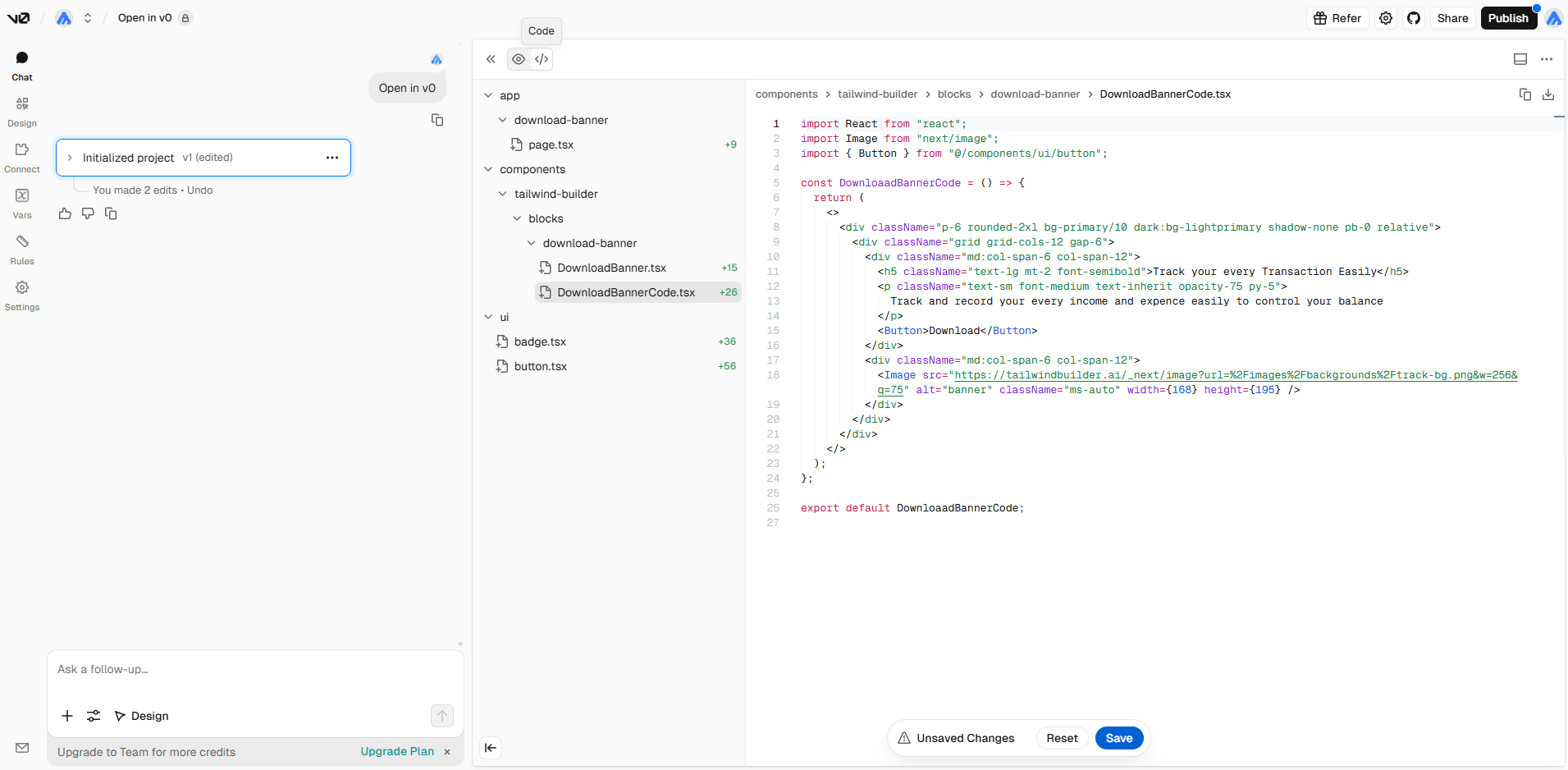
- Fully structured component code with consistent styling
- Live editing and preview right inside the browser
- Real-time updates as you customize
- The ability to improve and modify using natural language commands
How to Use Open with v0?
To start using this feature:
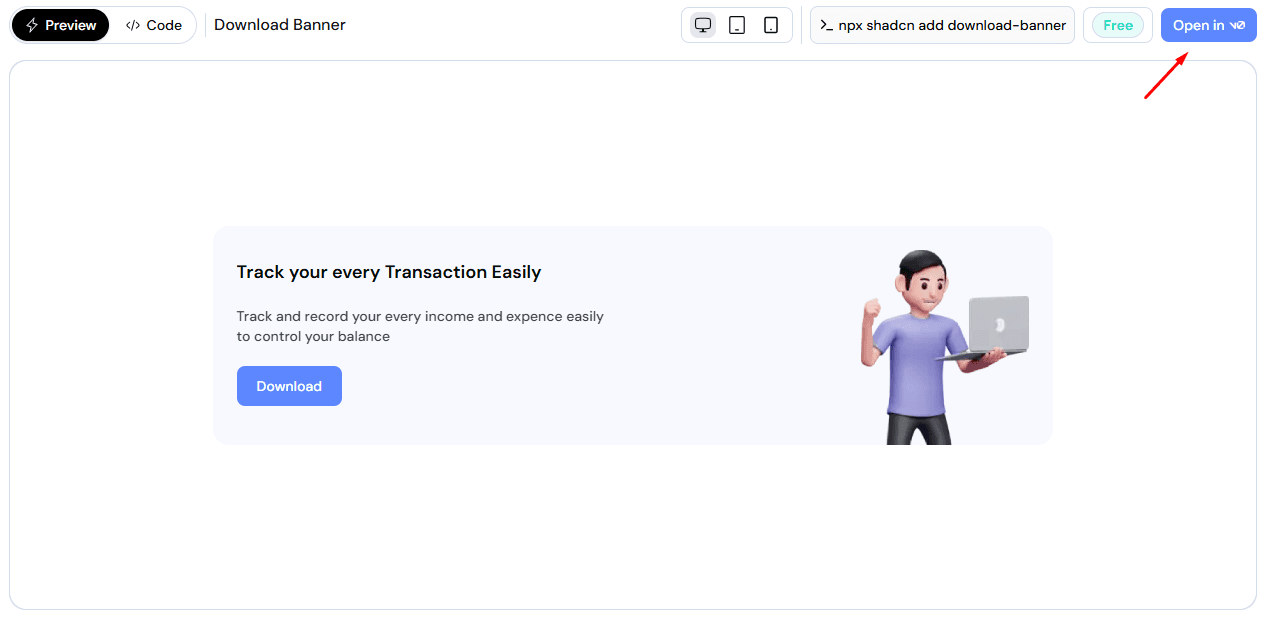
- Find the Open in v0 button.
- For blocks: The Open in v0 button is available at the top-right corner of any block section.
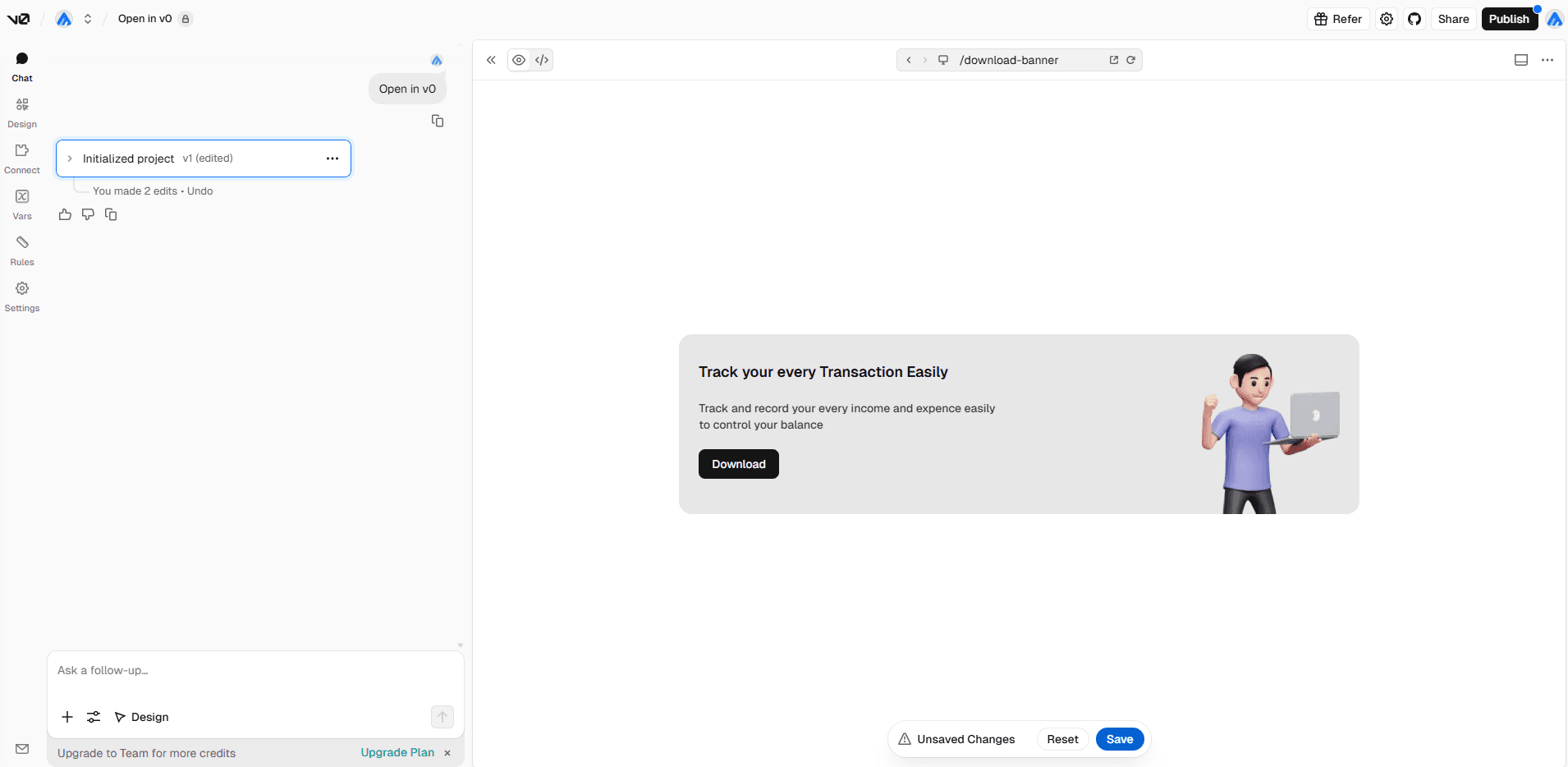
- Instant Redirection: Once the button is clicked, a new tab opens automatically and takes you to v0.app, where the component is already loaded and ready.
- Begin Editing: As soon as the component appears, you can start refining it right away through v0’s AI interface or by directly editing the code.
Limitation
- This release doesn’t allow Tailwind override utilities such as
animate-bounce. - Defining your own CSS variables outside the design system (for example,
var(--error)) isn’t supported. - Custom styling using
@applyisn’t available in this version. - Animations built with
@keyframeswon’t be recognized, so any styles using them won’t run.